Stocktake sheet
A clipboard sheet for counting what is on the shelf.
Examples temporarily replace the input and settings. You can restore your previous work.
Pro keeps the settings you use every week and puts them one click away. See Pro
Your files stay on your device
This tool runs entirely in your browser. Nothing is uploaded, nothing is stored, and you can even turn off your internet connection before you start.
Example
Example: an end-of-June stocktake of a café’s cool room
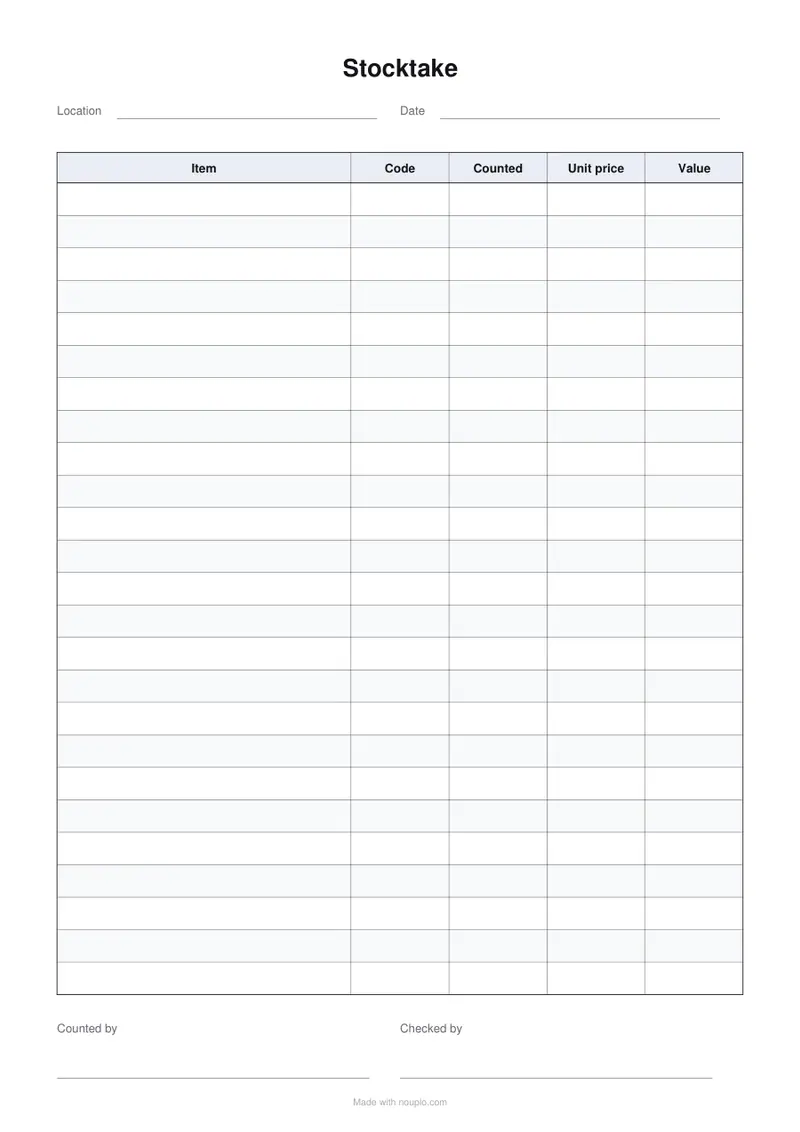
A café in Australia counts its stock on 30 June, the end of the financial year. The sheet keeps the page’s columns and the two signature lines, with 30 rows for the cool room and the item names printed in: Fill the first column with A list of my own, on A4.
- The items typed one per line land in the Item column, so the counter only writes numbers; rows after the last item stay blank for anything else found on the shelves.
- Item takes 3 of the 7 shares of the 180 mm table, 77 mm; Code, Counted, Unit price and Value get about 26 mm each.
- 30 rows fit one A4 sheet at 7.1 mm each; up to 40 still do, at 5.3 mm, with Counted by and Checked by kept at the foot.
| Item | Code | Counted | Unit price | Value |
|---|---|---|---|---|
| Oat milk 1 L | OAT1 | 18 | $2.40 | $43.20 |
| Full-cream milk 2 L | MLK2 | 12 | $3.10 | $37.20 |
| Coffee beans 1 kg | CB1K | 7 | $38.00 | $266.00 |
| Takeaway cups 8 oz, sleeve of 50 | CUP8 | 9 | $6.50 | $58.50 |
stocktake.pdf: one A4 page headed Stocktake, with Location and Date to fill in. The four lines above come to $404.90, written in and added up by hand before both people sign.
How it works
- Change the heading and the two lines at the top if your count is organised another way — by aisle, by supplier, by van.
- Edit the columns. One to a line, with a number after the bar for how wide it should be.
- Set the rows to about what a shelf or a section comes to. Anything over one page carries the headings onto the next.
- Download and print. The two rules at the foot are for whoever counted and whoever checked.
Frequently asked questions
- Why print it instead of counting on a phone?
- Because a count is done standing up, with both hands busy and often in a cold room. Paper does not lock, does not need a signal at the back of a warehouse, and two people can work from two sheets. Typing the totals up afterwards takes ten minutes and is the part where mistakes get caught.
- Can I add or remove columns?
- Yes. Each line in the columns box is one column, and the number after the bar is its width relative to the others. Delete the price and value columns if you only need quantities; add a shelf or a batch column if that is how the stock is arranged.
- Why two signature lines?
- Because a stocktake that only one person signs is a note, and one that two people sign is a record. In most shops and kitchens the person who counted is not the person who signs it off, and the two rules are what make that visible on the sheet.
- Can the item names or row numbers be printed in?
- Yes. Set Fill the first column with to A list of my own and type the entries one per line: the items from the last count, or 1, 2, 3 for a numbered sheet. They print in the first column; the rows after the last entry stay blank.
- How many lines fit on one sheet?
- 25 as the page starts; on A4 each is 8.5 mm tall. Up to 44 still fit one sheet, squeezed to about 4.8 mm, with the two signature lines at the foot; ask for more and the table runs onto a second page with its headings repeated.
- Is anything uploaded?
- No. The PDF is drawn in this browser and saved by it. Nothing about what you stock, or how much of it you have, goes anywhere.
Made for a specific use
- Reading log printable
- Vehicle maintenance log
- Pet health record
- Address book
- Wedding guest list
- Lesson plan template
- Gratitude journal
- Baby feeding log
- Bill tracker
- Headache diary
- Food diary
- Sleep log
- Workout log
- Christmas gift list
- Printable to-do list
- Weight loss tracker
- Printable recipe sheet
- Mileage log printable
- Petty cash log
- Income log for the self-employed
- Spelling test template
- Meal planner
- Shopping list
- Chore chart
- Blood pressure log
- Medication schedule
- Weekly planner
- Event run sheet
- Daily report
- Allowance book
- Monthly budget planner
- Fax cover sheet
- Roster
- Attendance sheet
- Equipment handover form
- Leave request form
- Circulation sheet