Payslip generator
Attendance, earnings, deductions and what is left — on one page, in your currency.
Examples temporarily replace the input and settings. You can restore your previous work.
Attendance
Earnings
Deductions
Pro keeps the settings you use every week and puts them one click away. See Pro
Your files stay on your device
This tool runs entirely in your browser. Nothing is uploaded, nothing is stored, and you can even turn off your internet connection before you start.
Example
A UK monthly payslip in pounds: £2,612.50 gross, £2,043.19 net
A small bakery pays its one employee, Alex Sample, for March 2027. The figures come from the payroll software or the accountant — the generator does not work out tax or National Insurance — and are typed in as they stand. The currency is switched to pound sterling, because the English page starts in US dollars.
- Pay period “March 2027”, payment date “31 March 2027”; the employer’s name on the first line of its box, the address under it.
- Attendance boxes: Days worked 22, Overtime 10 h.
- Earnings and deductions typed line by line, as below. 2350, 2,350.00 and £2,350 are all read the same way.
| Line | Side of the slip | Printed as |
|---|---|---|
| Basic pay | Earnings | £2,350.00 |
| Overtime (10 h at £16.25) | Earnings | £162.50 |
| Bonus | Earnings | £100.00 |
| Income tax (PAYE) | Deductions | £313.00 |
| National Insurance | Deductions | £125.68 |
| Pension (5%) | Deductions | £130.63 |
The three boxes along the foot read Gross pay £2,612.50, Total deductions £569.31 and Net pay £2,043.19, the net set large — so anyone can check that earnings minus deductions equals what was paid. “100” was printed as £100.00 because pounds are written with pence.
How it works
- Fill in the period, the employee and the employer.
- Add the days and hours worked as boxes across the top, if you show them.
- List what is paid and what is withheld; the gross, the total withheld and the net are added up for you.
- Check the preview and download the PDF.
Frequently asked questions
- Does it work out the tax?
- No, and deliberately. Income tax and insurance depend on the country, the year, the employee’s circumstances and often the payroll provider’s own tables. This prints the figures your payroll gives you, arranged so anyone can check that earnings − deductions = net.
- Can I create a payslip online without signing up?
- Yes. Fill in the form on this page and press Download PDF — there is no account and no email address to give. The slip is drawn in your browser, and what you typed is kept on this device only.
- Can it make a US pay stub?
- Yes — on the English page the currency starts as US dollars, and the slip has the parts a pay stub has: the pay period and date, hours or days worked, each earning and each deduction (federal tax, Social Security, Medicare or whatever your payroll lists) and the net pay. It does not keep year-to-date totals; add them as a note if you show them.
- Can I print a blank payslip to fill in by hand?
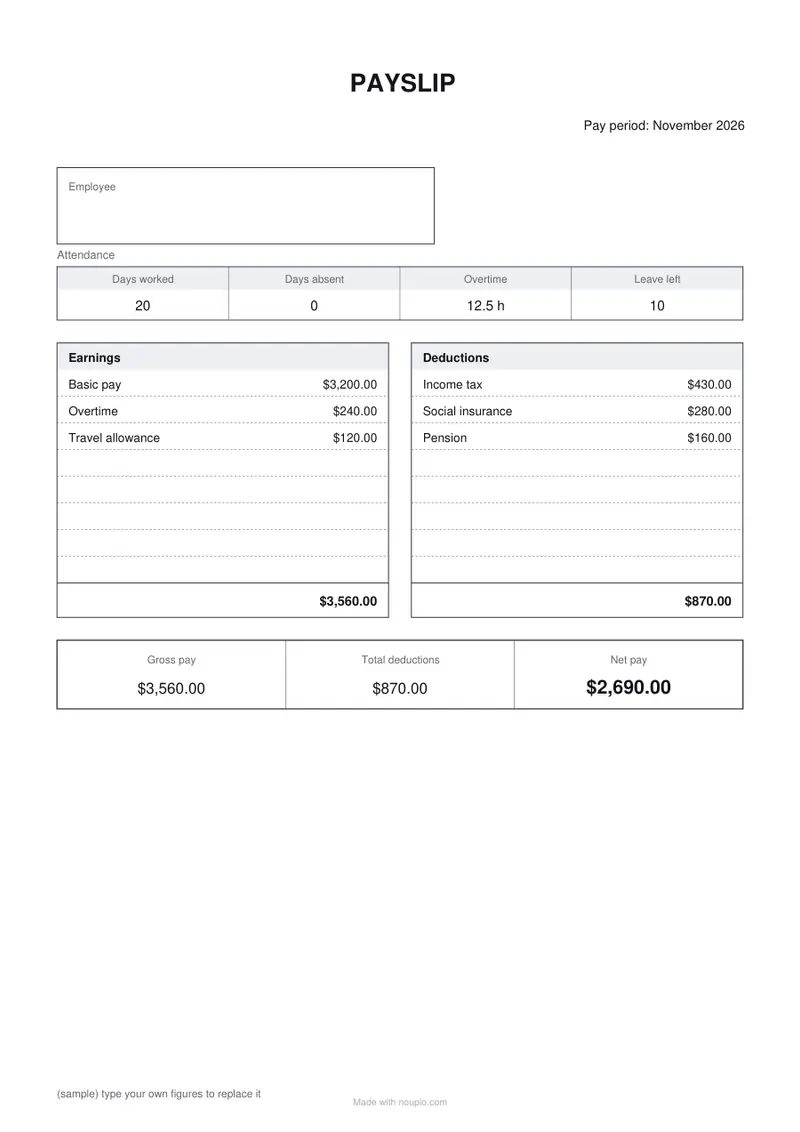
- Yes: tick “Blank slip to fill in by hand”. It prints the headings, the usual lines (Basic pay, Overtime, Travel allowance; Income tax, Social insurance, Pension) and empty boxes, with no amounts and no totals. Lines you type yourself replace those names.
- Which currency?
- Any of the ten in the list; amounts are written the way that currency is written, with or without decimals.
- Is a payslip legally required?
- In most countries an employee must be given a statement of pay in some form — Japan’s Income Tax Act requires one, and the UK, Germany and others have their own rules. What must be on it differs, so check your own country’s list.
- Is what I type uploaded?
- No. The PDF is made in your browser and the form is kept only on this device.