Rubric maker
Type the criteria or pick a rubric; print the grading table.
Examples temporarily replace the input and settings. You can restore your previous work.
One criterion per line. After the name, type what each level looks like, best first, separated by |: “Content | Rich ideas | Clear ideas | Some ideas | Few ideas”. A name alone gives empty cells to write in. Add (x2) after a name to count it twice.
Pro keeps the settings you use every week and puts them one click away. See Pro
Free PDFs end with a small “Made with nouplo.com” line Remove limits with Pro
Save to PinterestYour files stay on your device
This tool runs entirely in your browser. Nothing is uploaded, nothing is stored, and you can even turn off your internet connection before you start.
Example
Example: a grade 5 science fair rubric with the data row counted twice
Rubric My own criteria: four criteria typed with their level descriptions, one of them “Data and graphs (x2)”. Levels Exceeds, Meets, Approaching, Beginning; points 4-3-2-1 from the left; landscape; comments box; title Science Fair Rubric; school Grade 5; US Letter.
- Each level shows its points under its name: Exceeds 4, Meets 3, Approaching 2, Beginning 1.
- Each row ends in a score box with its maximum: / 4, and / 8 for Data and graphs, which is marked ×2.
- The total row adds the maxima: 4 + 4 + 8 + 4 = / 20. The comments box follows it.
| Criterion | Exceeds (4) | Beginning (1) | Score |
|---|---|---|---|
| Question and hypothesis | Testable question and a clear prediction | No clear question | / 4 |
| Procedure | Steps anyone could repeat, variables named | Steps hard to follow | / 4 |
| Data and graphs ×2 | Accurate data in a labeled graph | Little data | / 8 |
| Conclusion | Answers the question from the data | Missing | / 4 |
| Total | / 20 |
science-fair-rubric.pdf, one landscape page per student: circle a cell in each row, write 3, 4, 6 and 3 in the score boxes, and the total reads 16 / 20.
How it works
- Type your criteria, one per line with the level descriptions after |, or pick a ready rubric.
- Set the level names, the points, the orientation and the comments box.
- Download the PDF and print it, one copy per student.
Frequently asked questions
- How do I type my own criteria?
- One criterion per line. After its name, type what each level looks like, best first, separated by a vertical bar: “Content | Rich ideas | Clear ideas | Some ideas | Few ideas”. A name on its own gives empty cells to fill in by hand. Add (x2) after a name to make it count double.
- How are the points and the total worked out?
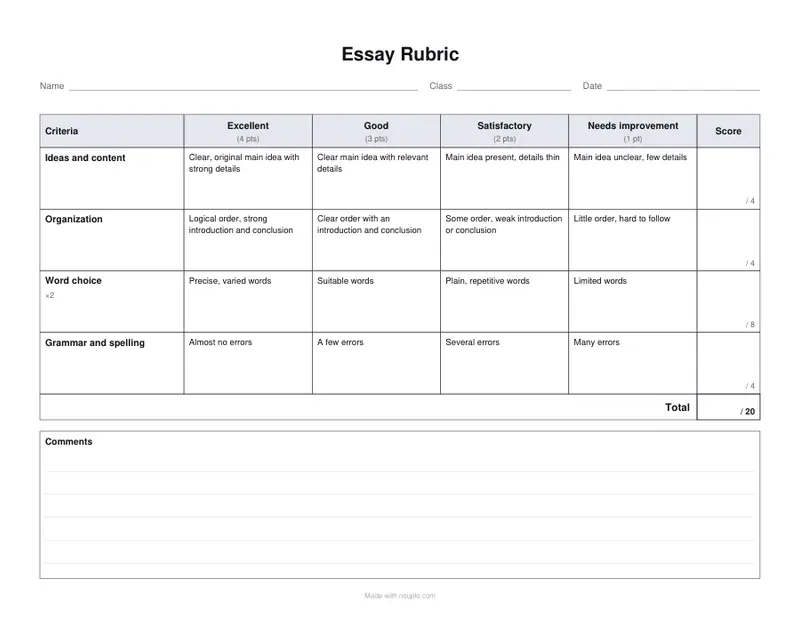
- Each level is worth its points, 4-3-2-1 from the left or 1-2-3-4, shown under its name. Each row has a score box with its maximum, weights included, so a (x2) row reads “/ 8”, and the total row shows the most there is. Choose “None” for a rubric without points.
- What ready rubrics are there?
- An essay, a presentation, group work and a lab report rubric, each with four criteria described at four levels. With another number of levels the criteria are kept and the cells left empty to write in. Long rubrics go on over the next page with the header row repeated.
- Can I use three or five levels?
- Yes: type the level names, best first, separated by commas, and the points follow them: three levels give 3-2-1 and a total of / 12 on a four-criterion rubric. A ready rubric’s descriptions are written for four levels, so with another number its cells are left empty; a typed line with more descriptions than levels is pointed out.
- Is anything uploaded?
- No. The rubric is made in your browser, and nothing you type leaves your device. On the free plan a small line with our name is printed at the foot of the last page.