Korean expense report
A 지출결의서 with its approval boxes.
Examples temporarily replace the input and settings. You can restore your previous work.
Pro keeps the settings you use every week and puts them one click away. See Pro
Preview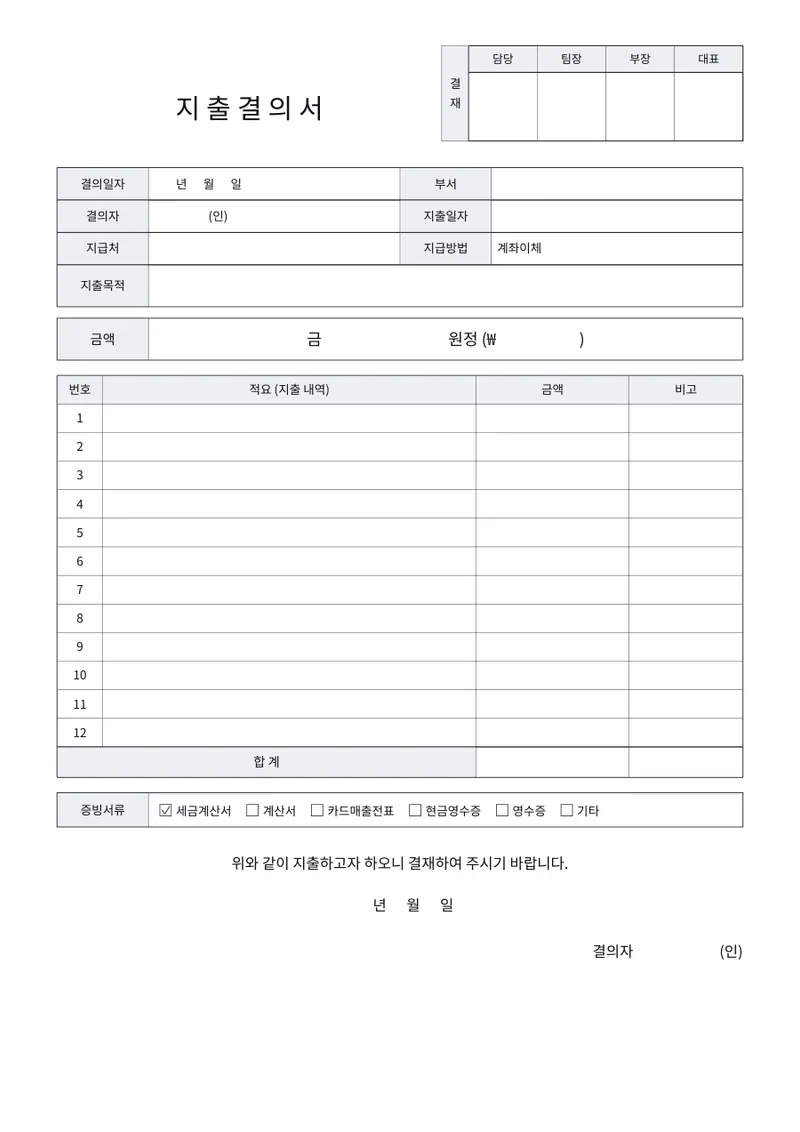
Your files stay on your device
This tool runs entirely in your browser. Nothing is uploaded, nothing is stored, and you can even turn off your internet connection before you start.
Example
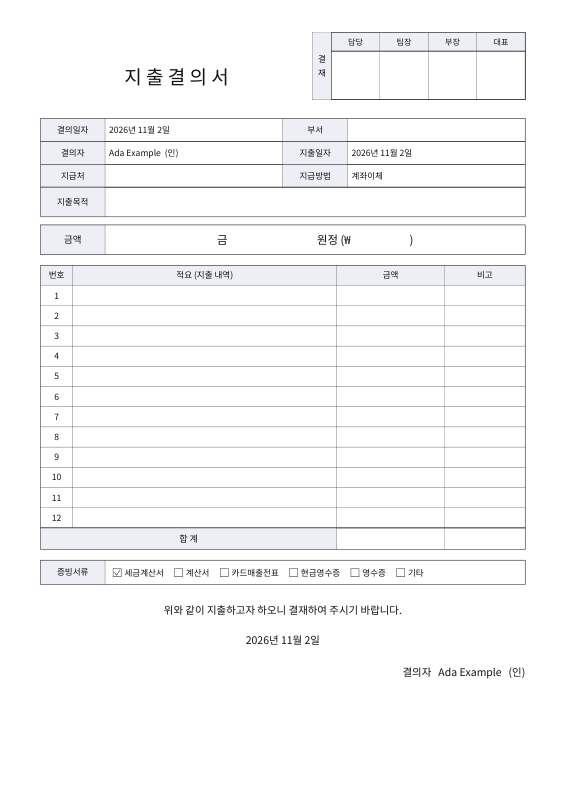
Worked example — Korean expense report (지출결의서)
Use the following inputs and settings. Keep other settings at the page defaults.
| Item | Value |
|---|---|
| Requested by | Ada Example |
| Date | 2026-11-02 |
| Payment date | 2026-11-02 |
| Output files | 1 |
| PDF pages | 1 |
| 210 × 297 mm |
Expected result — PDF · PDF pages: 1. The image shows the first PDF page.
How it works
- Enter the company, department and who asks.
- Set the approval boxes.
- Enter the payee, method, purpose and the lines.
- Pick the proof attached and download.
Frequently asked questions
- What is it for?
- An internal request to spend company money, signed off in the approval boxes before payment.
- Which proof counts?
- For business spending over 30,000 won Korean tax law expects a tax invoice, an invoice, a card slip or a cash receipt; a simple receipt alone can cost a penalty.
- Is what I type uploaded?
- No. The PDF is made in your browser.
Related tools
¥ Korean transaction statement (거래명세서) A 거래명세서 for goods or work supplied in Korea. ¥ Receipt generator A receipt for a payment, as a PDF, in a minute. 委 Korean incident report (시말서) The account a Korean workplace asks for, in the form it expects. ⌸ Leave request form Asked for in writing, approved in writing, on one sheet.