Reward chart printable
A sticker for each good day, a reward when it is full.
Examples temporarily replace the input and settings. You can restore your previous work.
Pro keeps the settings you use every week and puts them one click away. See Pro
Free PDFs end with a small “Made with nouplo.com” line Remove limits with Pro
Save to PinterestYour files stay on your device
This tool runs entirely in your browser. Nothing is uploaded, nothing is stored, and you can even turn off your internet connection before you start.
Example
Example: a 30-star reading chart for a second grader
Liam, 7, is to read for 20 minutes every night; each night earns a sticker, and a full chart means a trip to the bookstore. Settings: Sticker chart, 30 spaces, Stars, In colour, US Letter; title “Liam’s reading chart”; reward “A trip to the bookstore to pick a new book”.
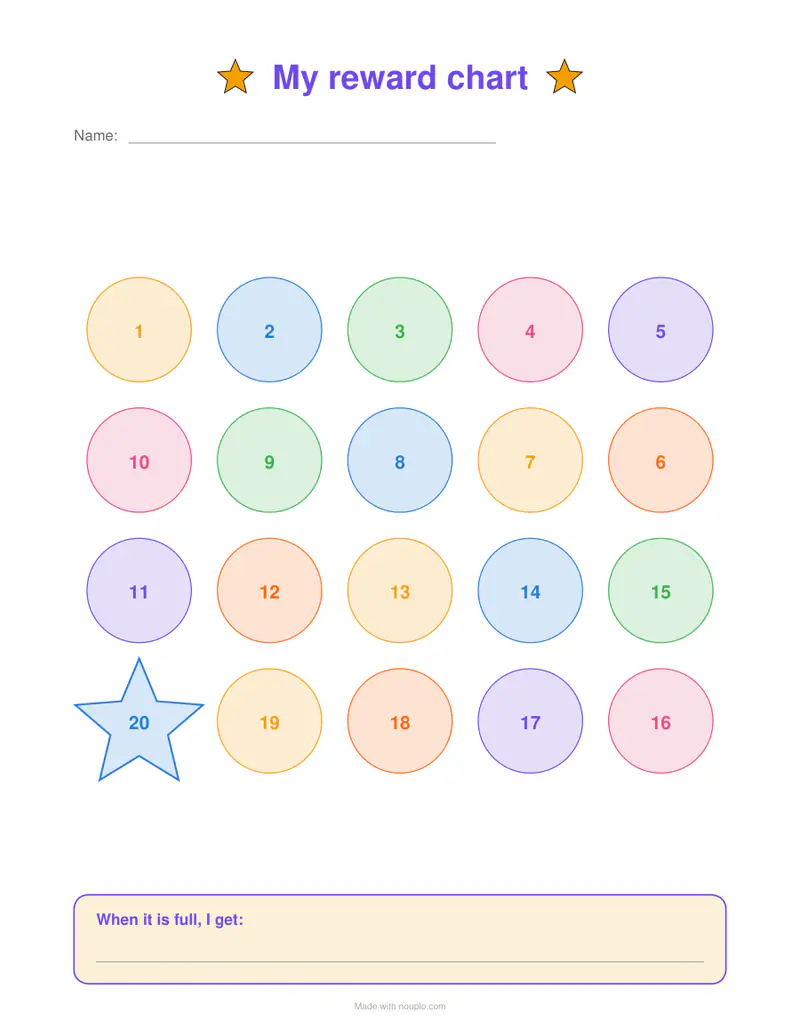
- The 30 spaces are laid out 5 across and 6 down, each about 31 mm (1¼ in) square, with a Name line under the title.
- The numbers snake: 1 to 5 run left to right along the top row, 6 to 10 come back right to left, and so on, so a finger can follow the count.
- Every space is a numbered star, the colours taking turns; number 30 is drawn larger, as the finish.
- The box at the foot reads “When it is full, I get:” with the reward printed under it.
| Row | Spaces | Direction |
|---|---|---|
| 1 | 1–5 | left to right |
| 2 | 6–10 | right to left |
| 3 | 11–15 | left to right |
| 4 | 16–20 | right to left |
| 5 | 21–25 | left to right |
| 6 | 26–30 | right to left, ending on the big star at the left |
reward-chart.pdf, one Letter page. At one star a night it is full in 30 nights, about a month; 20 spaces would be about three weeks. On the free plan a small line with our name is printed at the foot.
How it works
- Choose how many spaces — 10 for a short goal, 50 or 100 for a long one.
- Choose circles, stars or hearts, and type the reward if you like.
- Download and print; stick it on the fridge.
Frequently asked questions
- How many spaces should I choose?
- Short enough to reach: 10 or 15 for young children or a new habit, 20 to 30 for a few weeks, 50 or 100 for a long goal such as reading every day.
- Why are the spaces numbered in a snake?
- The count runs along one row and back along the next, so a child can follow it with a finger to the big star at the end.
- Can I track chores by day instead?
- Yes — the weekly chart has a row for each task and a column for each day, for a sticker or a tick.
- How do I make a potty training chart?
- Choose Theme: Potty training. The board gets its own title, “My potty chart”, a smiling potty beside the reward, drops and stars round the edges, and a small gold star on every fifth space (every tenth of 100) as a step on the way. It downloads as potty-chart.pdf.
- Can I print it as outlines to colour in?
- Yes. Colours: Outlines to colour in prints every space, the title stars and the reward box as black outlines, so a child can colour a space in instead of using a sticker, and it prints cheaply on any printer.
- Is anything uploaded?
- No. The sheet is made in your browser. On the free plan a small line with our name is printed at the foot of the last page.