Fishbone diagram maker
Type the problem and the causes; print the fishbone diagram.
Examples temporarily replace the input and settings. You can restore your previous work.
One box per line, in order. Start a line with a heading and a colon to rename the box, and separate the items with semicolons: “Methods: No checklist; Rushed training”. On a fishbone diagram each line is a bone, and a name alone is a category to fill in. For a T-chart, a topic like “Cats | Dogs” names the two columns; for a story map, “Title | Author”. Leave the box empty for a blank organizer.
Pro keeps the settings you use every week and puts them one click away. See Pro
Free PDFs end with a small “Made with nouplo.com” line Remove limits with Pro
Save to PinterestYour files stay on your device
This tool runs entirely in your browser. Nothing is uploaded, nothing is stored, and you can even turn off your internet connection before you start.
Example
Worked example — Fishbone diagram maker
Use the following inputs and settings. Keep other settings at the page defaults.
| Item | Value |
|---|---|
| Organizer | Fishbone (cause and effect) diagram |
| Output files | 1 |
| PDF pages | 1 |
| 279 × 216 mm |
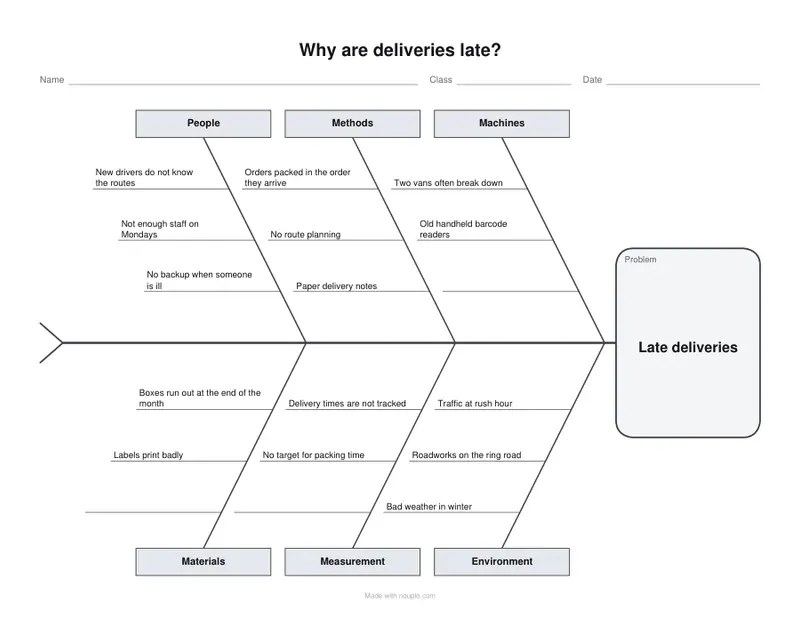
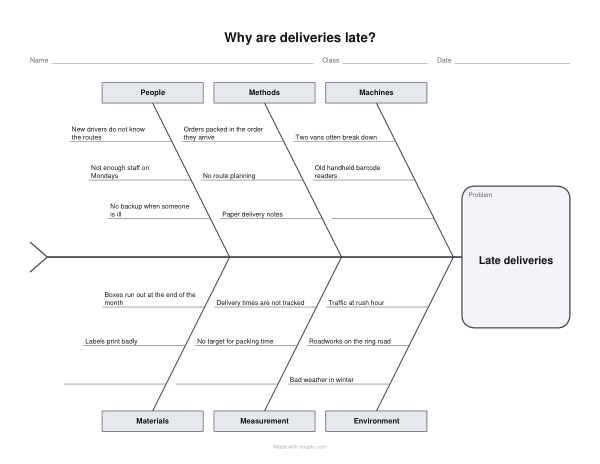
Expected result — PDF · PDF pages: 1. The image shows the first PDF page.
How it works
- Type the problem: it goes in the fish’s head.
- Type one category per line with its causes after a colon, separated by semicolons, or clear the box for a blank 6M diagram.
- Download the PDF and print it in landscape for a team meeting, a quality review or a class.
Frequently asked questions
- What is a fishbone diagram?
- A cause and effect diagram, also called an Ishikawa diagram: the problem sits in the head at the end of the spine, and each bone is a category of possible causes, with the causes written along it. Teams use it in quality meetings and root cause analysis, and teachers use it to explore causes in history or science.
- What are the 6M categories, and can I rename them?
- The blank diagram has the classic six: People, Methods, Machines, Materials, Measurement and Environment. Type your own names instead, one per line, for two to eight bones: Policies, Customers or Suppliers in an office, or Characters, Setting and Events in class.
- How do I type the causes?
- One bone per line: the category, a colon, then the causes separated by semicolons, as in “Methods: No checklist; Rushed training”. A name alone gives an empty bone to fill in by hand. Up to ten causes fit on a bone; the text gets smaller as more are added, and a line too long to fit is pointed out.
- Is anything uploaded?
- No. The diagram is made in your browser, and nothing you type leaves your device. On the free plan a small line with our name is printed at the foot of the last page.