Gingerbread house template
Cut the dough right and the house goes together.
Examples temporarily replace the input and settings. You can restore your previous work.
Pro keeps the settings you use every week and puts them one click away. See Pro
Preview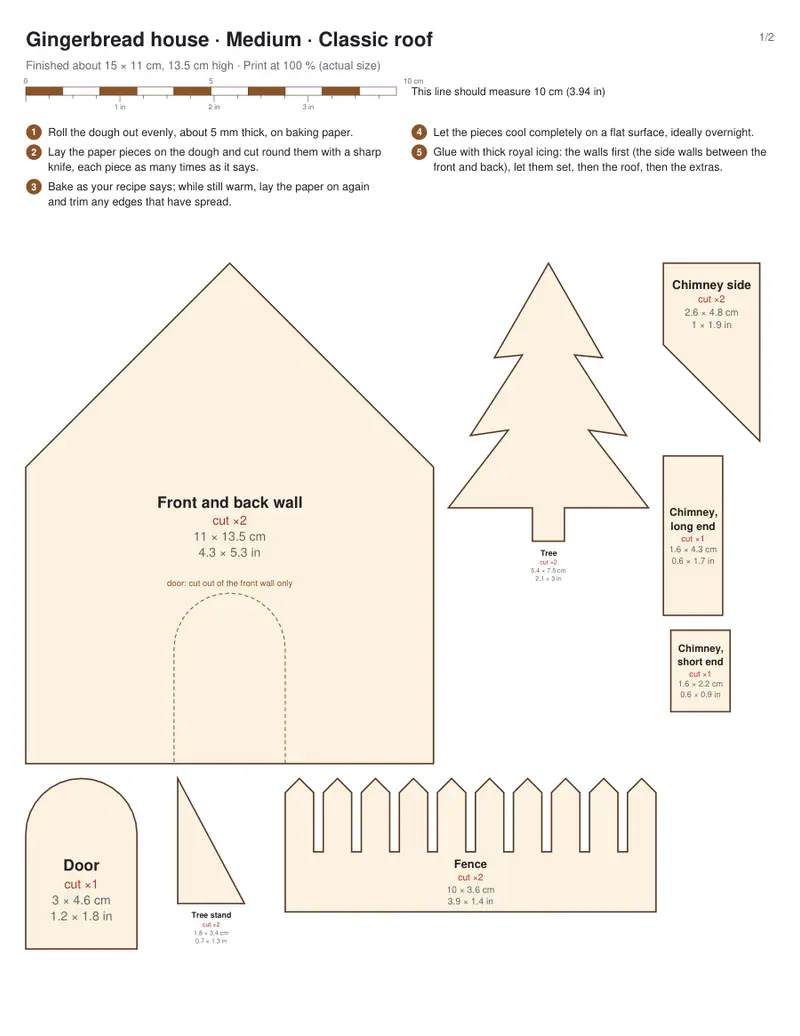
Free PDFs end with a small “Made with nouplo.com” line Remove limits with Pro
Save to PinterestYour files stay on your device
This tool runs entirely in your browser. Nothing is uploaded, nothing is stored, and you can even turn off your internet connection before you start.
Example
Worked example — Gingerbread house template
Choose the size and the roof; print at 100 % (actual size) and cut out the paper pieces. Use the following inputs and settings. Keep the other settings at the page defaults.
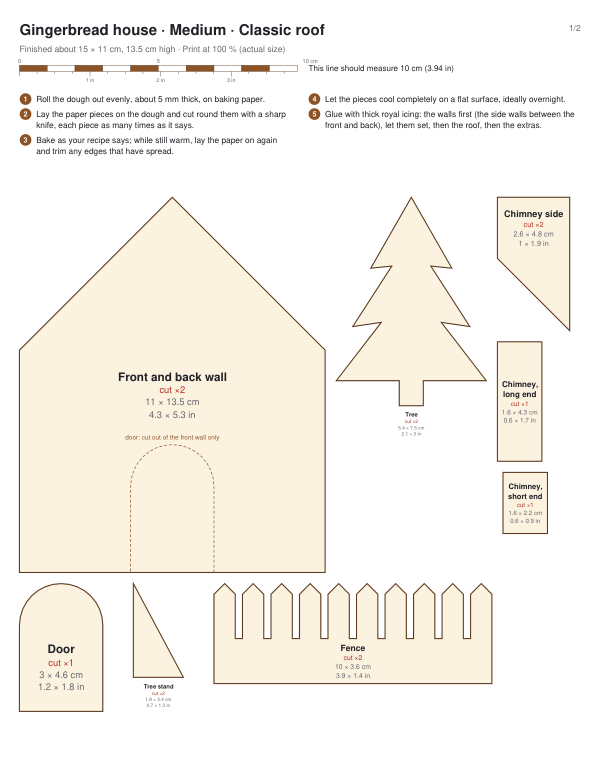
| Item | Value |
|---|---|
| House size | Medium |
| Add a door, chimney, fence and tree | On |
| Output files | 1 |
| PDF pages | 2 |
| Paper | 216 × 279 mm |
Expected result — PDF · PDF pages: 2 · 216 × 279 mm. The preview shows the first PDF page.
How it works
- Choose the size and the roof; print at 100 % (actual size) and cut out the paper pieces.
- Roll the dough about 5 mm thick, lay the pieces on it and cut around them; bake and let cool.
- Glue the walls with royal icing, let them set, then add the roof and decorate.
Frequently asked questions
- Why must I print at 100 %?
- The pieces are drawn at their real size so the walls and roof fit together. Check the scale bar on the page with a ruler.
- How big is the finished house?
- The sizes are printed on each piece: the small house is about 10 cm long, the large about 20 cm.
- How do I stop the pieces spreading in the oven?
- Chill the cut pieces before baking, and trim them with the paper template while they are still warm.
- What holds it together?
- Royal icing (egg white or meringue powder and icing sugar) — let the walls dry for an hour before the roof goes on.
- Is anything uploaded?
- No. The template is drawn in your browser.