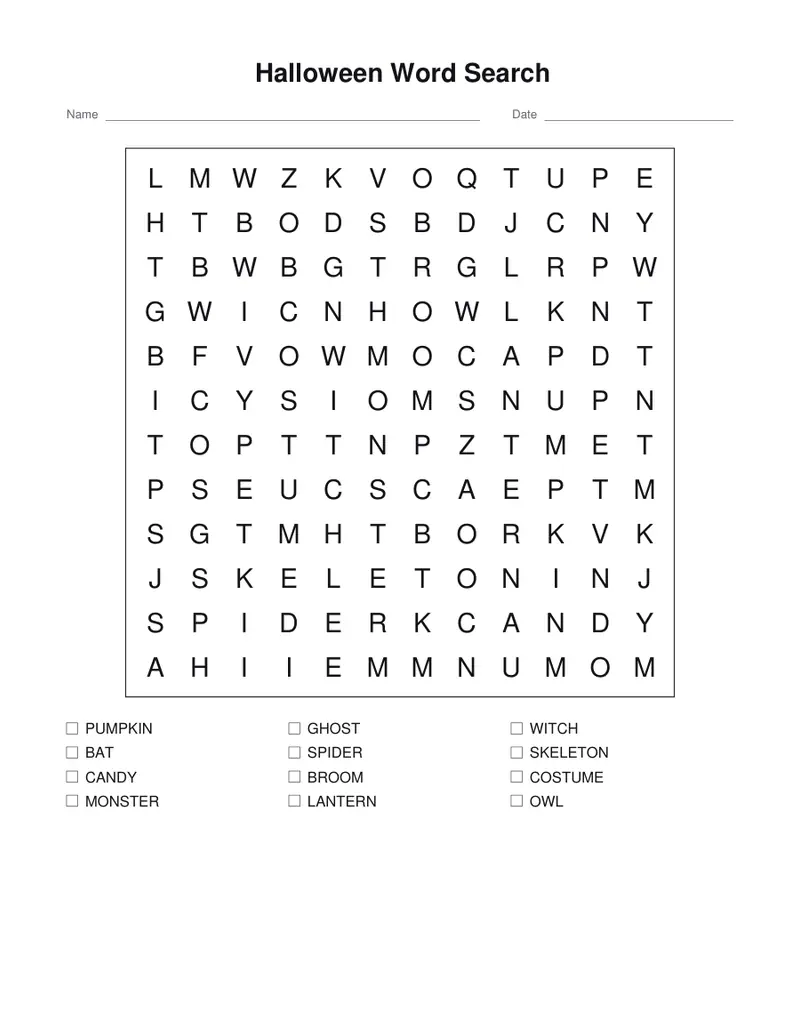
Halloween word search
Twelve spooky words hidden in the letters.
Examples temporarily replace the input and settings. You can restore your previous work.
Pro keeps the settings you use every week and puts them one click away. See Pro
Free PDFs end with a small “Made with nouplo.com” line Remove limits with Pro
Save to PinterestYour files stay on your device
This tool runs entirely in your browser. Nothing is uploaded, nothing is stored, and you can even turn off your internet connection before you start.
Example
Example: a class party word search whose leftover letters spell TRICK OR TREAT
A third-grade teacher prints the sheet for the class Halloween party. She keeps the 12 words (pumpkin to owl), Difficulty Medium and Grid size Just big enough, and types “Trick or treat” as the hidden message; US Letter, with the word list and the answer page.
- Without a message, these 12 words (68 letters) fill a 12 × 12 grid, and more than 80 squares around them are random filler letters.
- With the message, the grid is made just tight enough that exactly 12 squares stay free: 8 × 9 here, with words crossing to share letters.
- Those 12 squares hold T-R-I-C-K-O-R-T-R-E-A-T in reading order, so a child who has found every word reads the message row by row and writes it in the 12 boxes under the word list.
- The answer page marks each word with a band, shades the message squares and fills the letters into the boxes.
| Settings | Grid |
|---|---|
| No message, any difficulty | 12 × 12 |
| “Trick or treat”, Easy or Medium | 8 × 9 |
| “Trick or treat”, Hard, puzzle number 1 | 7 × 10 |
| “Trick or treat”, Hard, puzzle number 2 | 8 × 9 |
Two pages: the puzzle with Name and Date lines, the 12 words and the 12 message boxes, then the answers. For a second class, change the puzzle number to get a new grid from the same words.
How it works
- Keep the Halloween words or change them.
- Choose easy (across and down) or harder (diagonals and backwards).
- Download the PDF; the answers are on the second page.
Frequently asked questions
- Can I get a different grid?
- Change the puzzle number: the same words are hidden again in a new grid.
- Is there a Halloween bingo too?
- Yes, on the Halloween bingo page, with the same kind of words and a call list.
- Can the leftover letters spell a message?
- Yes. Type it as the hidden message, such as Boo or Trick or treat. The grid is fitted so that the free squares number exactly its letters, which then read in order, row by row. If that cannot be done, a note says how many extra squares were filled at random; a message longer than the free squares is left out.
- How do I make it harder for older kids?
- Choose Hard, where words run in all eight directions, backwards too, and a bigger grid such as 15 × 15 or 20 × 20: the same 12 words then hide among far more filler letters.
- Is anything uploaded?
- No. The sheet is made in your browser. On the free plan a small line with our name is printed at the foot of the last page.